The Vacationers’ Guide to Protecting a Home From Disasters, Bandits, and Other Costly Calamities
As with football and arguing with a child, the best offense is a good defense. Smart devices are especially great at bolstering home security with minimum fuss. They are also great at ensuring you (and in some cases the authorities) are instantly notified should someone or something attempt to break in. The devices highlighted here are all DIY-friendly. And while some may offer or require a subscription, they can be set up and canceled as needed without penalty.
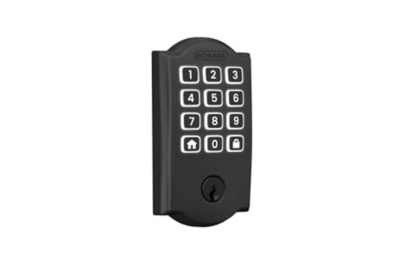
The Schlage Arrive Smart WiFi Deadbolt isn’t the most feature-rich smart lock among our picks, but it does offer the best combination of simplicity, quality, and hardiness. The keypad allows you to dispense with carrying keys at all, and you can program separate codes for trusted family, friends, caretakers, and tradespeople. The keys are rubber and raised above the housing, so they’re easy to locate, and they light up when a touch wakes the lock from standby. Using the Schlage app, you can adjust the lock’s settings, including having it auto-lock after a set interval in case you forget to do so, as well as enabling notifications whenever the door is locked or unlocked. (I also have mine set to automatically lock at 10 p.m. every night, just in case.) The Arrive is also compatible with Alexa and Google Home, and if you have a Ring home security system, you can integrate the Arrive with it and control the Arrive using the Ring app.
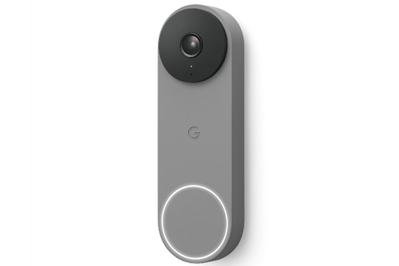
My phone gets pinged whenever someone rings the doorbell or even just visits my front step. This is great because I can speak to them in real time, as if I were home, or ignore them, as the case may be. The Google Nest Doorbell (Wired, 2nd Gen), our top pick for smart doorbells, has a lower resolution (1600×1200) than some other models, but that allows it to stream well on my already crowded Wi-Fi. It looks good, too, and it can accurately distinguish between people, animals, vehicles, and packages, which can help cut down on nuisance alerts. I like being able to consult video if something bad actually does happen, or if I just need to catch the jerk who keeps letting his dog poop on my sidewalk.
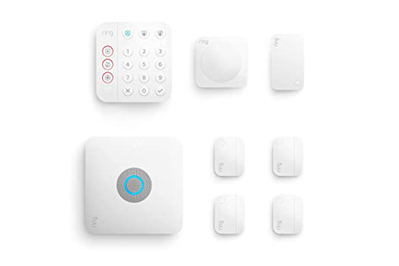
As an alternative to a whole-home, professionally installed security system, DIY versions (such as those by SimpliSafe, Abode, and Ring) let you mix and match compatible security sensors (motion, door/window, water) with popular smart devices — without an onerous service contract. (To learn more, see Wirecutter’s guide to security systems.) You aren’t required to pay for professional monitoring. But we do recommend it so that when you aren’t home, you get a smartphone notification and a phone call if your alarm is tripped; this allows you to decide what (if any) action to take. The Ring Alarm Pro is a standout for its wide range of accessories and package deals, plus the ability to add fail-safe measures like backup power and even internet service if your electricity goes out.

You can install a low-cost motion-sensing camera — like the top-pick TP-Link Tapo 2K QHD Security Camera Indoor/Outdoor C120 from our guide to indoor security cameras — and turn it on only when you aren’t home. You can set it up to notify you if there’s motion, so you can have a look in real time to see whether it’s a welcome visitor — a house sitter, a dog walker, a repairperson — or not. It will also let you see live video and even communicate walkie-talkie–style, if need be.