This Camera App Gives Your iPhone Photos Soul
I go through iPhone camera apps like some people go through Hinge dates.
There’s a brief flush of excitement, followed by declining interest, inevitably followed by ghosting. Weeks later, the app is unceremoniously deleted or — perhaps worse — left to gather digital dust in a forgotten folder on my apps page.
Thus far, just one app has earned a permanent spot on my home screen (and action button): Mood.camera.
Like many others, this app attempts to deliver a film-like shooting experience on the least film-like camera around. But unlike most, this app actually does it, with realistic film grain and color shifts.
Here’s the biggest miracle, though: It’s available as a one-time purchase, not just a subscription.
Designed to capture natural, filmic photos with no editing, this app provides a plethora of looks and lets you create new ones to suit your taste. Best of all, you can own it for life.
The emulations that Mood.camera offers work a lot like Fujifilm’s film simulations. Some of them evoke specific film stocks, such as Portra (Kodak Portra) and Tungsten (CineStill 800T). Others re-create a certain post-processing aesthetic, such as Arizona (which emulates Wes Anderson’s Asteroid City). They’re all tastefully done, and they make great jumping-off points for creating your own custom looks — a process that’s simple, intuitive, and fun.
When creating a new emulation, you start from one of the app’s included presets and tweak it to your liking. You can adjust everything from the intensity of the base emulation to stuff like saturation and color temperature, halation and bloom, and S-curve adjustments for highlights and shadows. All of your changes are reflected in a slideshow of stock photos, so you can instantly see how they’ll affect images captured in a variety of lighting situations.
The app has a vibrant community on Reddit, where I’ve shared the preset I use for photographing the desert and mesas around me here in the American Southwest. (I think it’s pretty sweet.) Other users also share their creations there, and I’m particularly fond of the Leica emulations by u/DaniChloe. A curated list of the most popular user-created presets is available both on the web and in the app, so you can scroll through to find inspiration and new looks.
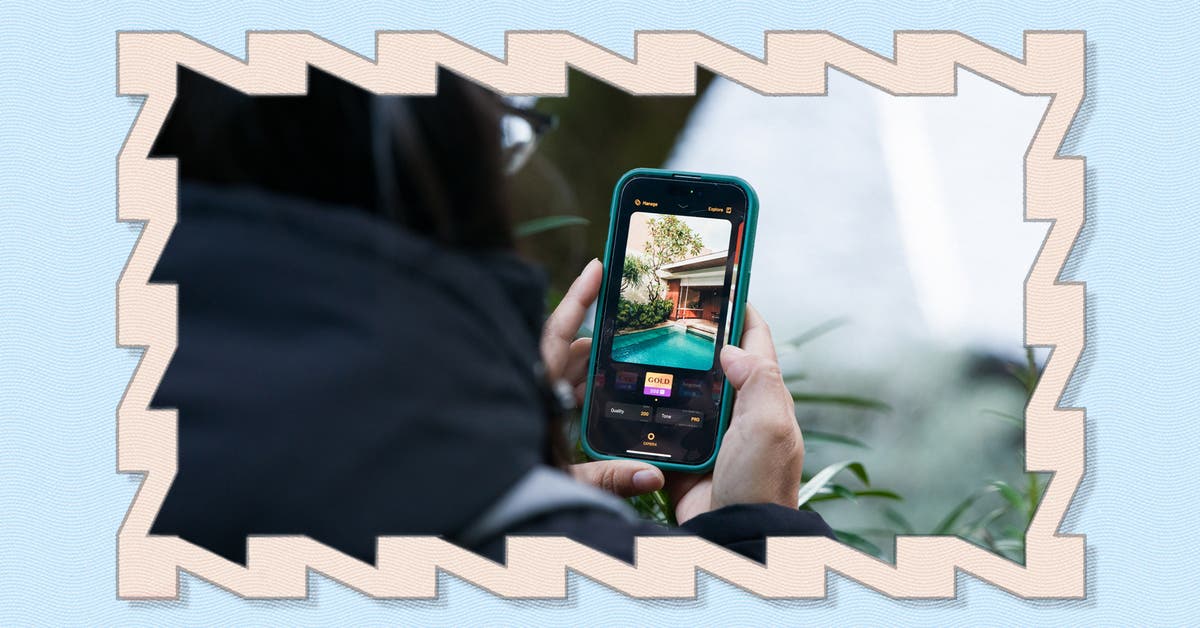
Once you finish fiddling with emulations and get around to shooting, the straightforward interface provides all the adjustments you could want. These include exposure compensation, access to portrait mode, and the ability to quickly change between lenses and crop focal lengths on multi-camera iPhones. The app has other neat features, too, including the ability to create dynamic frames for your photos, shoot in different aspect ratios (including XPan), and adjust your images’ dynamic range.
One thing to note: The viewfinder isn’t WYSIWYG. Instead, Mood.camera provides a natural live view, with your chosen emulation’s effects visible only in the final image, which creates a very film-like shooting experience. And if you want to make it even more analog-feeling, you can toggle a setting that prevents you from reviewing your photo for 60 seconds after you take a shot.
The app’s creator, Alex Fox, has made his intentions clear, saying he wants to “steer mobile photography towards the simplicity of capturing the moment rather than obsessing over details.” After chatting with Fox and reading an interview with him, I came away with a portrait of a developer who is hyperfixated on making phone photography fun again, even if it means potentially frustrating people who want more features and more control.
This ethos carries through other choices he’s made with the app, such as not making user-created emulations directly downloadable (which discourages you from endlessly trying new presets) and not allowing you to save raw files alongside JPEGs (so you don’t spend more time tweaking photos than shooting them). Likewise, you can’t load photos shot outside the app to apply presets.
Now, let’s talk about the price. Most apps these days are, regrettably, available only through subscriptions. And you can buy Mood.camera that way if you like, at $2 per month. Not bad!

But unlike with most other apps, you can also buy it for life (or as long as the developer and the Apple ecosystem survive), for the very reasonable cost of $15 at this writing. Fox says he added the one-time-purchase in response to early users’ pleas, which resonated with him, and he has confirmed to us that this option “isn’t going anywhere.”
For me, that made buying Mood.camera an easy decision.
This article was edited by Phil Ryan and Erica Ogg.