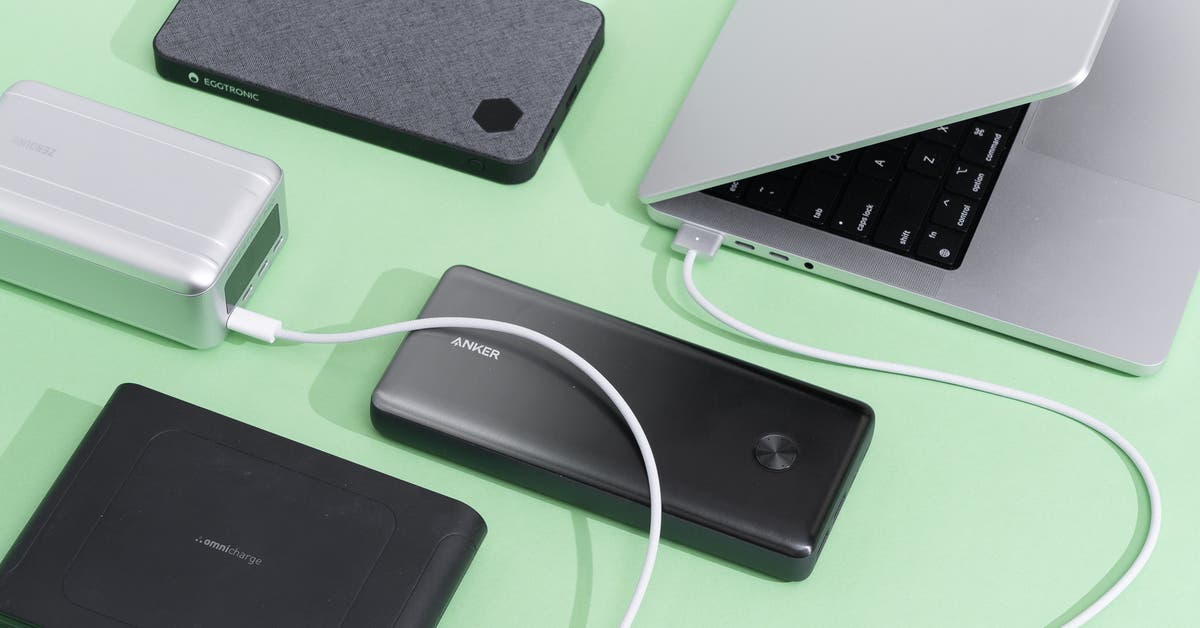
The 3 Best Power Banks for Laptops With USB-C in 2025
If you’re willing to pay a premium for wireless charging and hub functionality, and you can overlook a lower capacity and fewer included accessories: Get the Omnicharge Omni 20c+. It pales in comparison to our picks in rated capacity (20,000 mAh), and it’s one of the priciest models we tested, but it’s the only option with both wireless charging and hub functionality.
In addition to its 10 W wireless charging pad, it has two USB-C PD ports (one with up to 100 W output, and the other with up to 60 W output) and two 18 W USB-A ports. All four ports have pass-through charging capabilities.
Weighing just 1.1 pounds, its compact size and shape make it easy to stow in a bag, and it has a sleek, professional look. It also has an easy-to-read screen that displays helpful information such as the internal temperature, the remaining battery life, the input and output wattage, and icons indicating which ports are in use.
It’s simple to use: A single button turns it on and off, and holding down the same button activates and deactivates the hub feature. And it comes with a USB-C charging cable, though sadly you have to supply your own wall charger (the hard-shell case that pairs with it is handy but also sold separately).
Omnicharge’s one-year warranty is on the shorter side, and this model costs $250 at this writing, but if those trade-offs are tolerable to you it’s still a great option.
If you want something much more powerful than our picks, and you can overlook its lower capacity and fewer included accessories: Get the Anker Prime A1336. It’s more than twice as powerful as our picks (we measured up to 200 W in our testing), costs about the same ($140 at this writing), and has a longer warranty (two years).
It has a super-compact size and shape and weighs about as much as our picks (1.2 pounds). Also, it has an informative screen showing the remaining battery life and input/output power.
On the downside, it has a lower capacity rating (20,000 mAh) and comes with fewer accessories than our picks (just a C-to-C charging cable). It also offers fewer charging options, with two USB-C PD ports and just one USB-A port.
We don’t recommend the optional charging base, which you can buy separately or as a bundle for this power bank. The power bank sits vertically on the base, and doesn’t lock securely into place, so it’s easy to topple over. Not only does this disrupt the flow of power, but it could damage your devices.
If you’re on a tight budget and don’t mind giving up a couple charging ports and some battery life: Get the Ugreen 145W Nexode Power Bank. It has fewer charging ports, a lower capacity rating, and a less informative screen than our picks, but it’s a few ounces lighter and costs less.
Ugreen’s power bank has a rated capacity of 25,000 mAh, which is lower than our picks but still sufficient to fully charge most laptops.
It has two USB-C PD ports that can output up to 140 W and 64 W, respectively, and we measured 25 W output from its USB-A port. It has pass-through charging capabilities, and when all three ports are in use it has a total output of up to 140 W.
It’s relatively slim and compact, and it weighs just 1.1 pounds. Plus, it’s intuitive to use, with a single on/off button and a small screen showing the remaining battery life.
It doesn’t come with a wall charger, but the included USB-C cable supports up to 140 W charging. It’s backed by a two-year warranty and costs $66 at this writing.