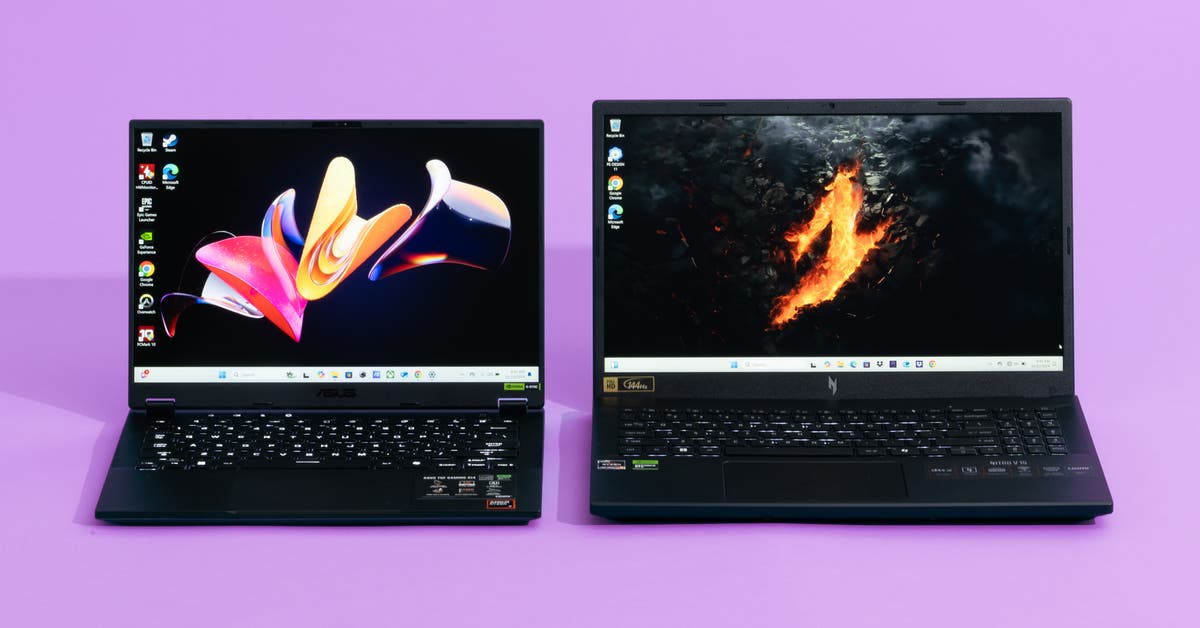
You Don’t Need to Spend a Lot on a Pricey Gaming Laptop
Any gaming laptop that costs thousands of dollars should be able to play the newest, most taxing games smoothly and consistently on high graphics settings. But you don’t need to shell out more than $1,500 to get a great laptop capable of playing your favorite games, and higher price tags do not guarantee better performance.
We’ve tested many gaming laptops in the past, and our findings have remained the same over the years: High-end gaming laptops packed with the most-powerful hardware still don’t offer enough performance benefits over more-affordable options. In 2025, we even tested models that cost up to $4,000, and in most cases, they performed similar to — or worse than — the more affordable laptops we recommend. Only one laptop passed our tests — the Asus ROG Strix Scar 18 (G835LW-XS97) — but we still wouldn’t recommend it for the majority of people.
Why we don’t recommend expensive gaming laptops
You can spend as much money on a high-end gaming laptop as you can on a used car. But you probably shouldn’t: Gaming laptops are not great long-term investments. Their graphics and processors typically can’t be upgraded. And as new video games come out, demanding higher system requirements all the time, the fixed hardware in your laptop will eventually fall behind.
Compared with budget options, expensive gaming laptops should have better processors and displays that produce higher-quality graphics and performance. They should also have better fans and cooling, nicer speakers, and a slimmer design. But powerful hardware requires, well, a lot of power. Power generates heat, and more power generates more heat. As a result, most of the expensive laptops we’ve tested over the years couldn’t keep their internal components or external surfaces from overheating. And many of them didn’t yield frame rates or graphics quality adequate enough to justify their high prices.
For our most recent round of testing, we evaluated the Lenovo Legion 5, the Acer Predator Helios Neo 14 AI, the Acer Predator Helios 18 AI, the Acer Predator Helios Neo 16S AI (PHN16S-71-98RF), the Acer Neo 16S AI (PHN16S-71-91AW), the Razer Blade 14, the Alienware 16 Area-51, and the Alienware 16X Aurora. And we found only one laptop that succeeded in all of our tests: the Asus ROG Strix Scar 18 (G835LW-XS97). This laptop produced high frame rates at 2560×1600 resolution while remaining cool, even in this year’s ultra-taxing Assassin’s Creed: Shadows on high graphics settings. But it costs up to $3,400 at the time of this writing, and its huge, heavy form factor hampers its portability. Our pick for the best cheap gaming laptop can play most of the newest titles on high settings, at 1920×1200 resolution, with consistently high frame rates — and it costs less than $1,500.
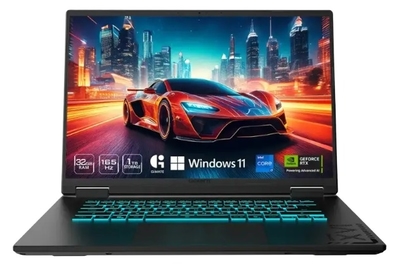
This laptop has the newest generation of hardware, and it performs better than some of the most expensive models we tested. It maintains great frame rates for smooth gameplay, and it stays cool to the touch.
Why should you care about your laptop overheating?
When the internal components of a laptop generate too much heat, they can slow gaming performance and shorten the lifespan of the machine. And hot external surfaces can be more than just uncomfortable to the touch. They can also cause tissue damage (PDF) with prolonged contact, as well as erythema ab igne (EAI), a blotchy, chronic skin condition that in rare cases is associated with some cancers.
During our tests, we measure internal temperatures using HWMonitor Pro, and we record external temperatures using an infrared thermometer pointed at different surface points of the laptop. We automatically dismiss any laptop that exceeds the maximum temperature safe for skin contact or PC hardware. And we adhere to the following temperature limits, based on research published by NASA (PDF), the National Institute of Standards and Technology (PDF), and operating specifications from Intel, Nvidia, and AMD:
| System component or surface point | Maximum temperature limit |
| CPU | 212 °F |
| GPU | 180 °F |
| Keys and keyboard surface points | 110 °F |
| Underside | 130 °F |
Should you buy a gaming laptop?
A gaming laptop gives you the ability to play video games from anywhere on the planet. But, depending on your needs, it might not be the perfect solution: Even the slimmest gaming laptops aren’t as portable as we’d like, and they’re not well suited to productivity. Depending on your needs, a gaming laptop might also be impractical standing in as the only computer you own.
Compared with every other type of laptop we recommend, gaming laptops have bulkier designs. Most of the models we test are built with 15- or 16-inch displays, and they typically take up too much space to use in a standard airplane seat. We rarely see laptops in this category that weigh less than 4 pounds, and they also come with big, bulky chargers that can be cumbersome to lug around.
They’re also less ideal for productivity and casual use because they have awful battery lives. On average, gaming laptops last roughly five hours on a single charge when used only for light tasks, like web browsing, and video games will drain the laptop more rapidly. You can also expect to see major frame rate drops, stuttering, and other performance issues when gaming on battery power.
If you want the best gaming experience, and you don’t need a computer you can travel with, you’re better off buying or building a gaming desktop. They’re more powerful than laptops at the same price, and they’re easier to upgrade down the line to meet the demands of newer and more-taxing games — as opposed to being stuck with the same CPU and graphics card forever. But the ability to play games in any room of your house, on a trip, or when you’re killing time out in the world is compelling — as long as you’re not too far away from a power outlet. And this is why we recommend a cheap gaming laptop for most people.
This article was edited by Arthur Gies and Caitlin McGarry.